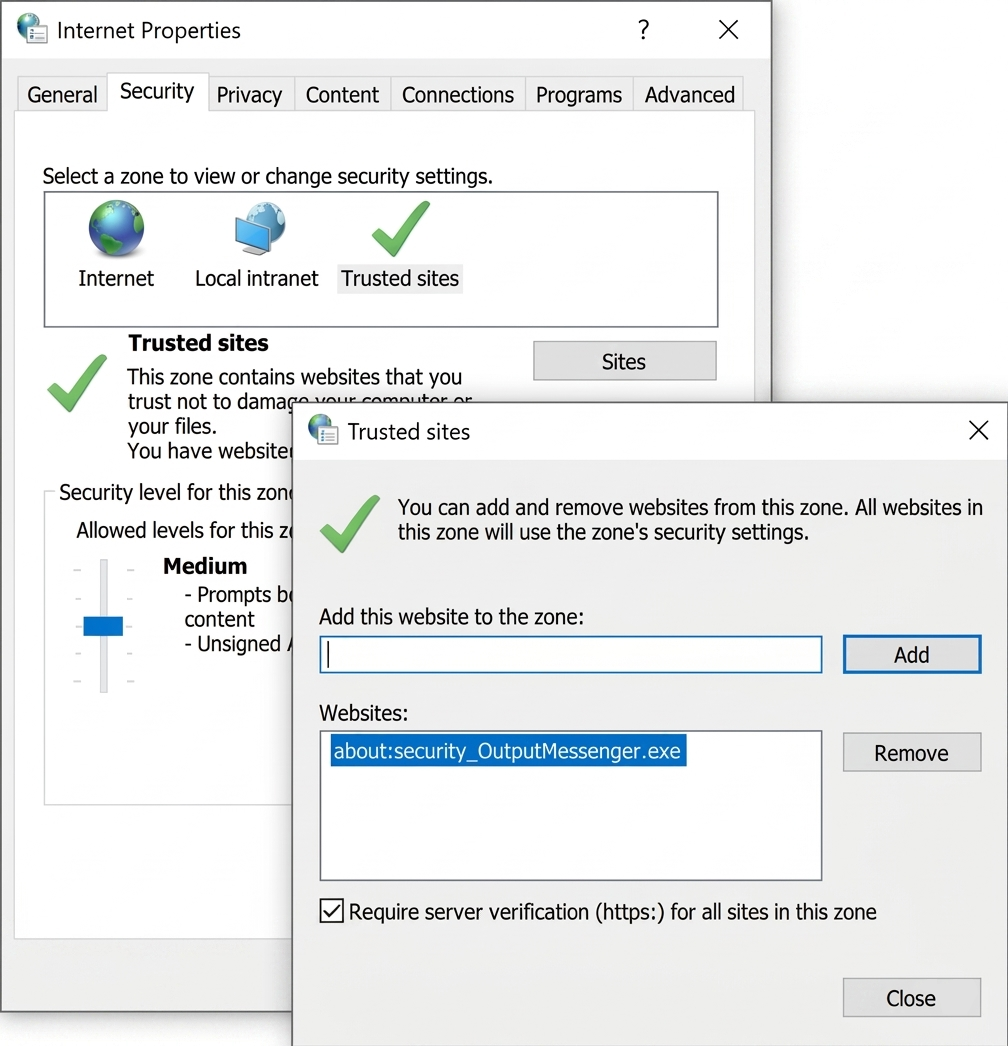
Since the chat window appears blank on the client computer, this is most likely related to the Internet Explorer security settings used by the Output Messenger client.
Please follow the steps below on the affected client PC:
- Open Internet Options.
- Go to the Security tab.
- Select Trusted sites and click Sites.
- Ensure about:security_OutputMessenger.exe is listed under the Trusted Sites.
- Set the Security level for Trusted Sites to Medium.
- Close and reopen the Output Messenger client, then check whether the chat window loads correctly.